
Streaming Church Features
Everything your ministry needs to create engaging, interactive online worship experiences.
Turn Every Sermon Into a Week of Ministry
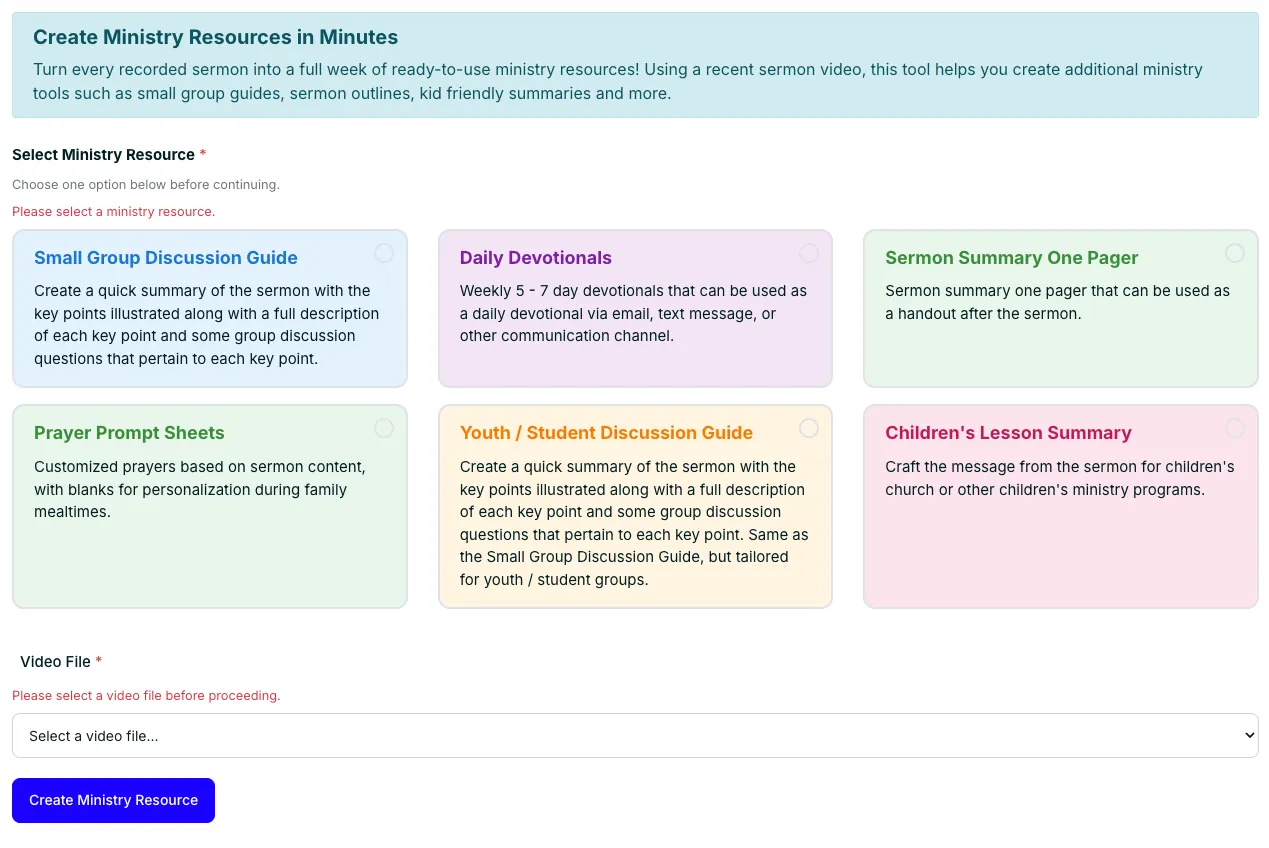
Maximize the impact of every sermon. With one click, transform your sermon videos into small group discussion guides, daily devotionals, children’s lessons, and other ready-to-use ministry resources for your entire church.
Digital Ministry RX
The Digital Ministry RX is an AI-powered tool designed to help churches leverage their digital and streaming data to enhance their ministry’s impact. It analyzes key church streaming and digital ministry metrics, generating a customized report with actionable recommendations for short-term, mid-term, and long-term improvements.
By tapping into real-time engagement data, Digital Ministry RX empowers churches to optimize their online presence, increase audience interaction, and create meaningful spiritual connections.
SermonShots and StreamingChurch.tv Are Integrated
Sermon Shots helps churches share their messages and now integrates directly with StreamingChurch.tv. Users can access livestream videos, highlight key moments, and share impactful messages across social media without tedious file transfers.
Simply select StreamingChurch.tv from the upload options in Sermon Shots and browse the videos stored in your account.
AI/ChatGPT Webhost
Engaging: Bring vibrant, friendly conversation to your live streaming events with an AI webhost built into your video chat platform.
You’re in control: The AI Webhost is disabled by default, and your team remains in control of all activity in the StreamingChurch.tv platform.
Real-time interaction: Your AI webhost is customized with your church’s information so responses are appropriate and engaging for your ministry.
Multilingual support: Participants from different regions can converse in their preferred language and engage on a global scale.
Automated Follow Up
Once enabled and customized by your ministry, targeted follow-up emails are automatically sent to online attenders after your service. The system distinguishes between first-time guests and returning attenders and sends a customized message for each.
You can have StreamingChurch.tv send these messages every week automatically or integrate online guest information into your existing church management system for tracking and follow up.

Works With All Popular Encoders
We haven’t yet met an encoder that doesn’t work with StreamingChurch.tv. Partnerships with popular software and hardware encoders make setup simple: choose StreamingChurch.tv as your destination, enter your login and password, and start streaming.






Customize & Embed on Your Site
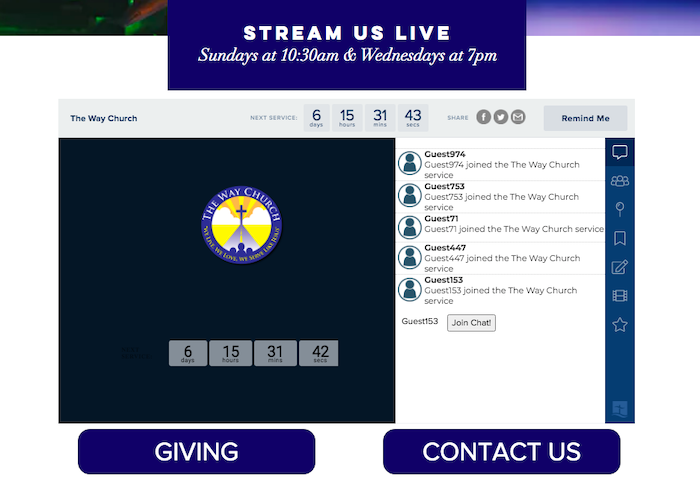
Customize your streaming platform so it looks and feels like your church. Seamlessly embed your live campus, countdown timer, and media vault on your existing church website with simple copy-and-paste code.
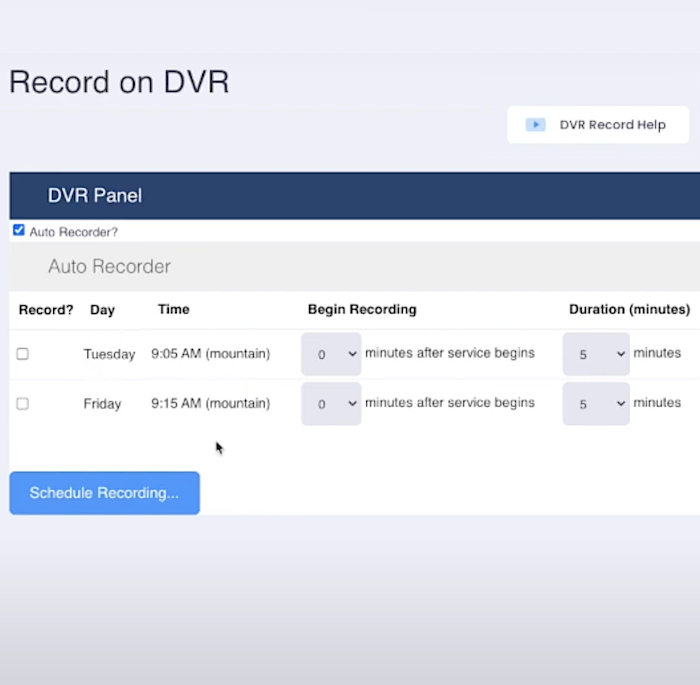
Automatic Server-Side DVR Recording
Premium Unlimited and Platinum Unlimited include automatic server-side recording. Set it up once and every service is recorded and available in your media vault.
Dynamically start and stop recording at the right moment, trim recordings from your online admin panel, or upload services recorded locally.
Integrated Media Vault
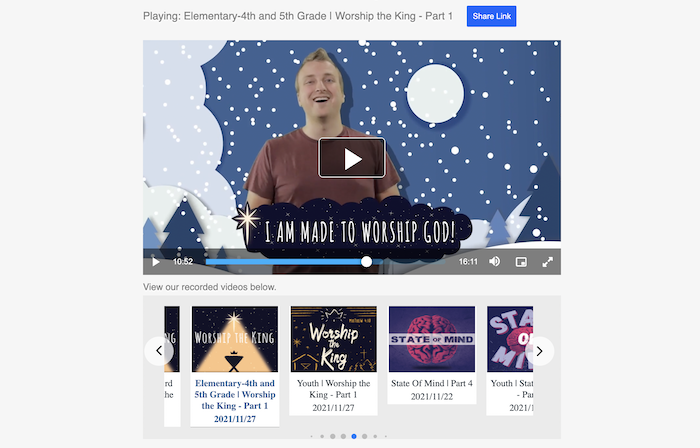
Every StreamingChurch.tv account includes a media vault for easy access to recorded messages and services. Choose from several design themes and embed the vault directly on your ministry website. Premium Unlimited and Platinum Unlimited accounts include an unlimited media vault.
View Your Stream on Any Device
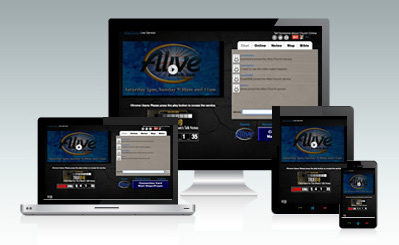
Your stream automatically plays on computers, tablets, and phones, as well as the StreamingChurch.tv Roku channel and mobile app. Adaptive bitrate technology helps optimize playback for each device and network.
Completely Customizable
Configure your interactive platform to match your website. Choose a professionally designed theme or upload your own graphics, then add donation buttons, announcement banners, pre-roll videos, countdown timers, and more.
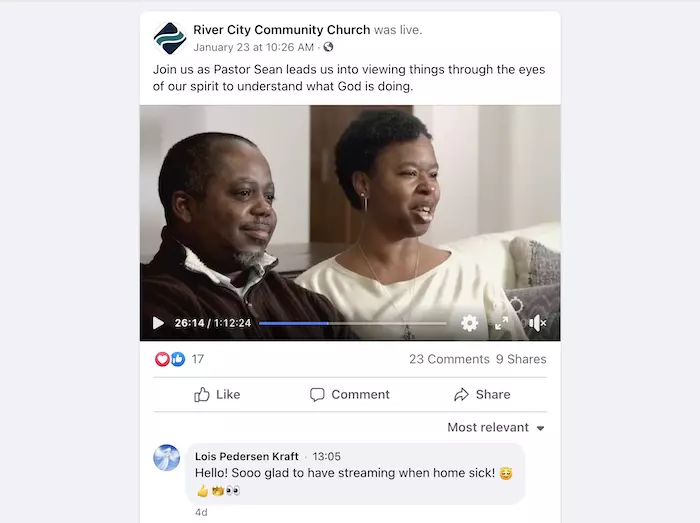
Stream Live to Facebook & Other Popular Platforms
Stream services live to Facebook, YouTube, and Twitter. Send video to your church website and social platforms simultaneously with a compatible encoder, or let Platinum Unlimited automatically forward your stream to supported social channels.
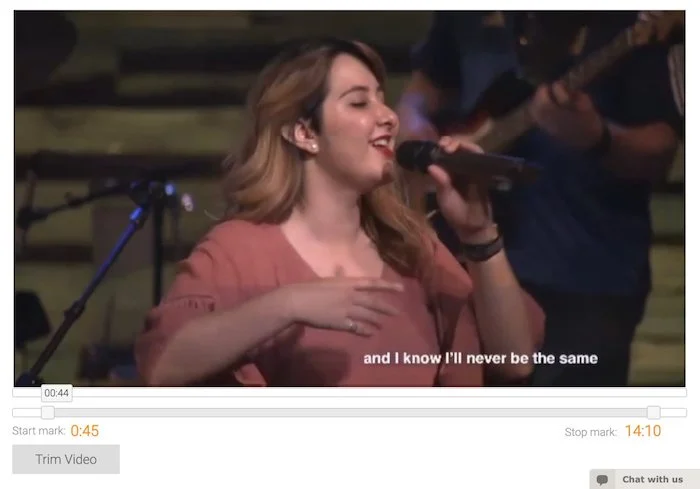
Online Video Editor
Trim recorded videos directly in your admin panel. Integrated sliders and a video scrubber make it easy to mark where a recording begins and ends, so videos can be polished in seconds.
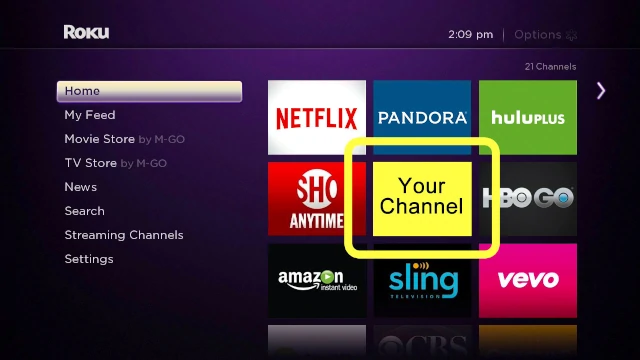
View Your Stream on Roku and Apple TV
Your live stream and on-demand videos are automatically available on the StreamingChurch.tv Roku and Apple TV channels. We can also create a channel branded for your ministry with your church name, colors, and logo.
Moderated Chat
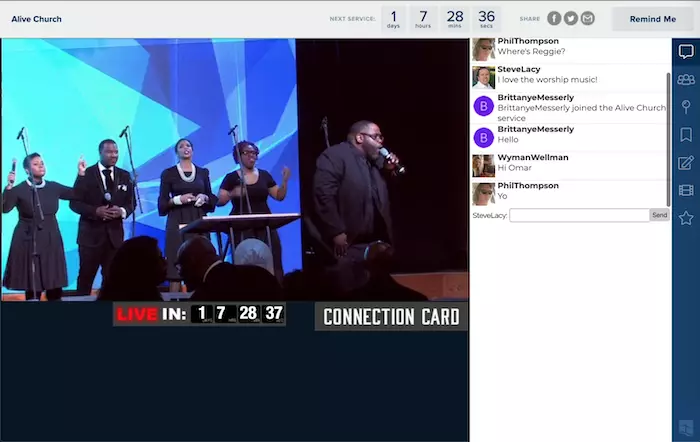
Welcome guests and interact in a scrolling chat room during the message. Online campus pastors can add commentary and pray with people in real time, while administrators retain moderator controls.
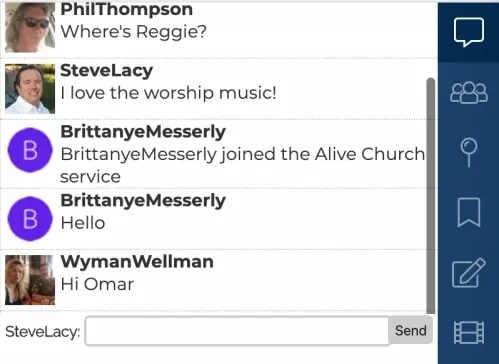
Who’s Attending and Private Messaging
As guests arrive, their profile or guest photo appears in the Who’s Attending area. Click a photo to open a private conversation—ideal for prayer, personal follow-up, or communication between online attendees.
Control OBS From Your Phone
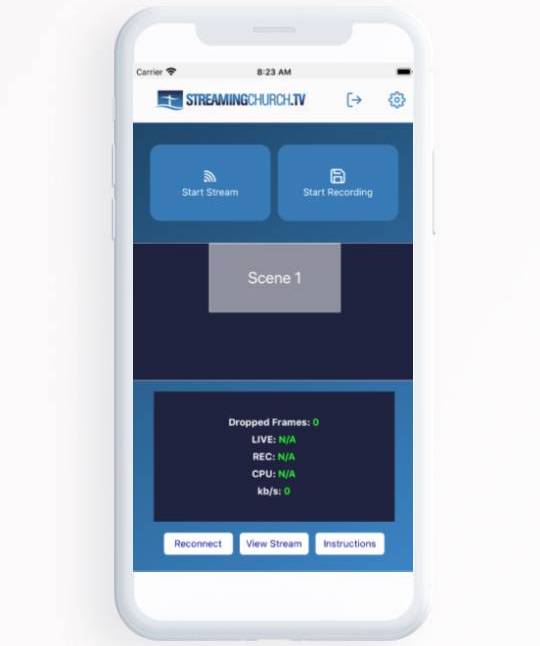
The Streaming Church Remote app for iPhone and Android pairs with your StreamingChurch.tv account so you can control Open Broadcaster Software from your phone. Start, record, and schedule streams, then monitor the broadcast from the app.
Simulated Live
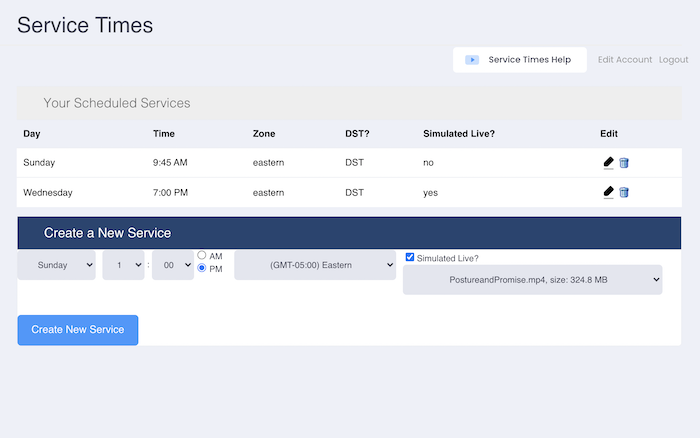
Upload a prerecorded video and schedule it to run as a simulated live stream. Your webhost can still interact with members and all platform features continue to work—without an encoder.
Supported video files include .mp4 and .m4v files under 3 GB.
Teaching Notes
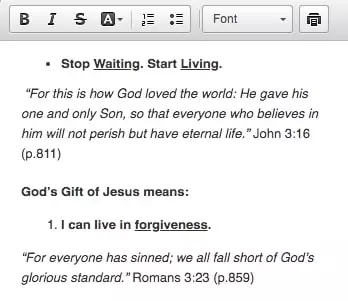
Upload teaching notes to the notes tab of your interactive streaming campus. Pastors can summarize key points, add questions and announcements, and let attendees fill in blanks, enter notes, highlight items, and print their notes.
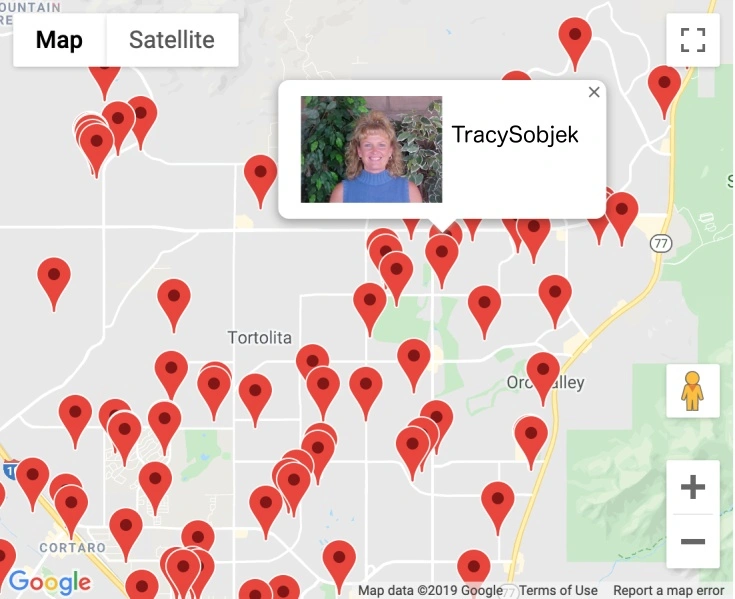
Automated Attendee Mapping
As guests arrive, a pin is placed on a map showing where they are attending from. Click a pin to view attendee information, or zoom out to see your ministry reaching people around the world.
Bible Tools
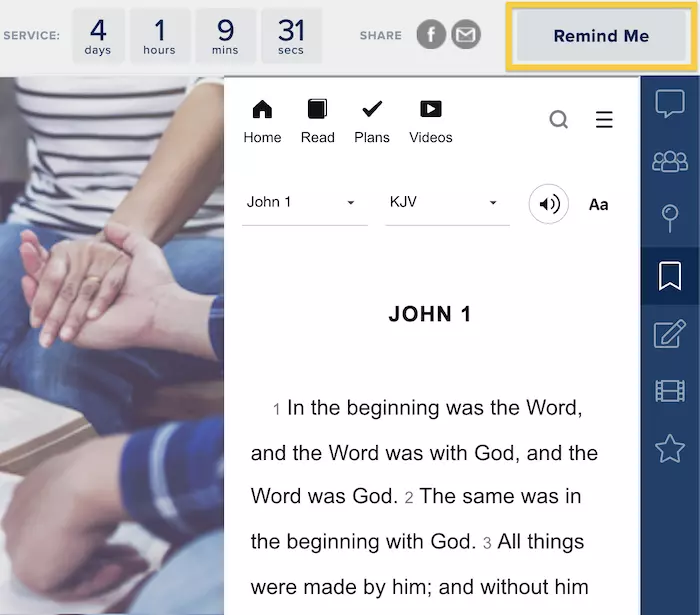
The Bible is built into your platform for easy reference and is available in many languages for your viewers.
Prayer and Service Reminders
Viewers can sign up for automated text or email reminders before services begin. During the service, the Need Prayer button privately connects a viewer with one of your prayer team members.
Push Technology
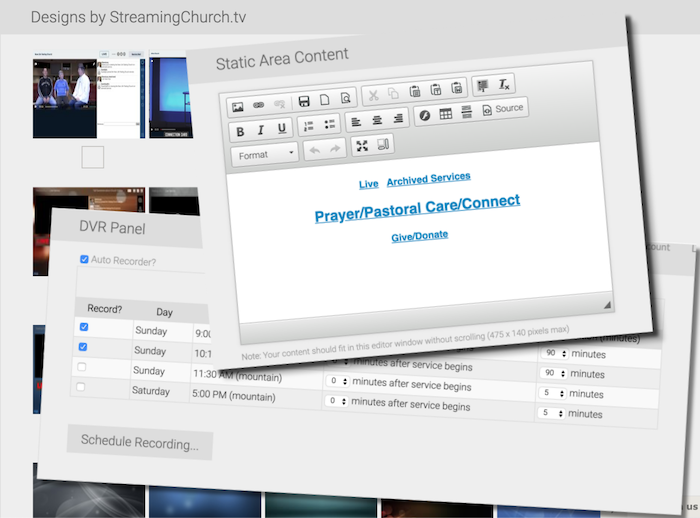
Your live streaming site includes a dynamic zone that administrators can update in real time. Display a donation link, song information, sermon notes, or an invitation to pray, and every attendee’s page updates automatically. Create as many dynamic items as your ministry needs.
Ready to Try StreamingChurch.tv?
Start a free 30-day trial. No credit card required.