Find Your Perfect Ministry Streaming Plan

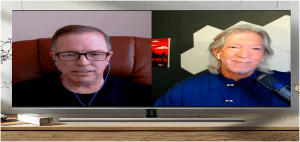
Episode #497 of the Church Solutions Podcast — recap & guide
By Phil Thompson & Steve Lacy
Allergies and moving trucks aside 😅, (listen here), this week’s Church Solutions Podcast dove into a super-practical question we get all the time: “Which streaming plan fits our church best?” Are you paying too much or should you actually be upgrading? It’s all next on the Church Solutions Podcast.
Below is a concise recap you can share with your team—plus a quick chooser to help you land on the right plan.
The Four Plans at a Glance
| Plan | Best For | Key Highlights | Price* |
|---|---|---|---|
| Social Embed | Getting started or trimming budgets while keeping your stream on your website | Embed your Facebook/YouTube Live once; run it inside the SCTV online platform (chat, Bible, prayer, giving, hosts) without social distractions | $19/mo |
| Basic | Churches using YouTube/other hosting for archives but want SCTV’s player & tools | Media Vault (link external videos), MP3 support, analytics, chat & church-centric tools | $79/mo |
| Premium | Most churches wanting server-side recording + unlimited storage | Ultra HD delivery, Simulated Live, online trimming, new Sermon Clipper (AI/manual highlights), full analytics | $127/mo |
| Platinum | Multistreaming + OTT presence + hands-on help | Forward to Facebook/YouTube/X, custom Roku/Apple TV channel, concierge onboarding/support, everything in Premium | $179/mo |
*We’ve historically avoided raising prices for existing customers. Social Embed is introductory pricing and may change.
You can see for yourself how these plans compare by going here
Plan Details & Why They Matter
1) Social Embed — keep people on your site (not on social rabbit trails)
- Use your existing Facebook or YouTube Live as the engine.
- Embed once with SCTV’s code and forget weekly code swaps.
- Viewers watch on your site with chat, Bible, prayer, giving, hosts, and church-first UX.
- Great for new streamers or churches lowering costs without losing engagement tools.
Perfect if: you want a super-simple setup, church-site experience, and the lowest monthly cost.
2) Basic — simple streaming with flexible archives
- Full SCTV platform (chat, hosts, Bible, analytics, support).
- Media Vault for sermons and series; point videos to YouTube/elsewhere; upload MP3s for audio.
- Keep your library organized without paying for SCTV video storage.
Perfect if: you already host video elsewhere but want an excellent church-centric viewer experience.
3) Premium — the “workhorse” for most churches
- Server-side recording + unlimited storage in the Media Vault.
- Simulated Live: schedule a past service to play “as live” (great for midweek, weather closures, or power issues).
- Online trim/edit tools right in the dashboard.
- New Sermon Clipper: auto-suggested or manual highlights for vertical reels/shorts.
Perfect if: you want one platform to capture, store, edit, repurpose, and replay—without juggling extra tools.
4) Platinum — go everywhere, plus OTT and white-glove help
- One stream → many: forward to Facebook, YouTube, X, and more.
- Custom Roku/Apple TV channel branded to your church (easier for viewers to find you on TV).
- Concierge support: a real human by your side to solve Sunday-morning gremlins and strategy questions.
- Includes everything in Premium.
Perfect if: you want maximum reach and a partner to walk with you.
Features That Come with Every Plan
- Church-centric analytics (device mix, viewer patterns, etc.).
- Live chat, Bible, prayer requests, giving links, host tools.
- Seven-days-a-week support from a team that’s served churches since 2001.
- Media Vault you can embed on your site.
- Price matching when it’s truly apples-to-apples.
Quick Chooser: “Which one should we pick?”
- We’re brand new / tiny budget → Social Embed ($19)
- We host video on YouTube & need church tools → Basic ($79)
- We want recording, storage, editing, Sim-Live & clipping in one place → Premium ($127)
- We need multistream + OTT channels + concierge → Platinum ($179)
Why churches stay with StreamingChurch.tv
You’ll get fast, human help from people who understand Sunday. Try this challenge: chat/call us at StreamingChurch.tv, then try the same with any competitor. Notice the difference.
Next Steps
- Compare features on our site and see real-world workflows.
- Ask us anything via live chat at StreamingChurch.tv.
- Want a personalized recommendation? Tell us your encoder, current workflow, and Sunday goals, and we’ll map it out.
Episode Sign-Off
We’re closing in on Episode #500! Got ideas for how we should celebrate—or topics you want covered? Send them our way at StreamingChurch.tv.
He’s Steve Lacy. I’m Phil Thompson. Thank you as a listener/viewer for serving your church so well. We appreciate all you do! See you next week on the Church Solutions Podcast.