

If you’ve ever asked, “What camera should our church buy?” you’ve probably discovered the annoying truth:
There isn’t one perfect answer.
It’s a little like asking, “What kind of car should I get?” A pickup, a minivan, a Prius, and a Jeep can all be “great” depending on what you’re trying to do, what roads you drive, and what you can afford. Cameras work the same way.
In this episode of the Church Solutions Podcast (Episode 509), Phil Thompson and Steve Lacy walk through a practical framework for choosing cameras that fit your church’s reality, not your wish list.
Because nothing is worse than buying “the best” camera… and then realizing nobody knows how to turn it on six months later.
Let’s break it down.
The Big Picture: Most Churches Are Not “Major League”
Those are Steve Lacy’s words. Phil Thompson, a retired pastor, doesn’t like to refer to smaller churches as minor leagues, although he understands what Steve is trying to say. Before we talk gear, let’s talk pressure.
There’s a subtle (and sometimes not-so-subtle) message floating around church world that if you don’t have 300, 500, or 2,000 people, you’re “behind.”
But the average church in the United States is around 70 people.
That matters, because the camera advice aimed at a 2,000-person church with a full production staff does not translate well to a 70-person church with:
- a small budget
- a small volunteer team
- and a rotating cast of faithful humans doing their best
So instead of comparing yourself to the “major leagues,” choose equipment that matches your team, your space, and your ministry goals.
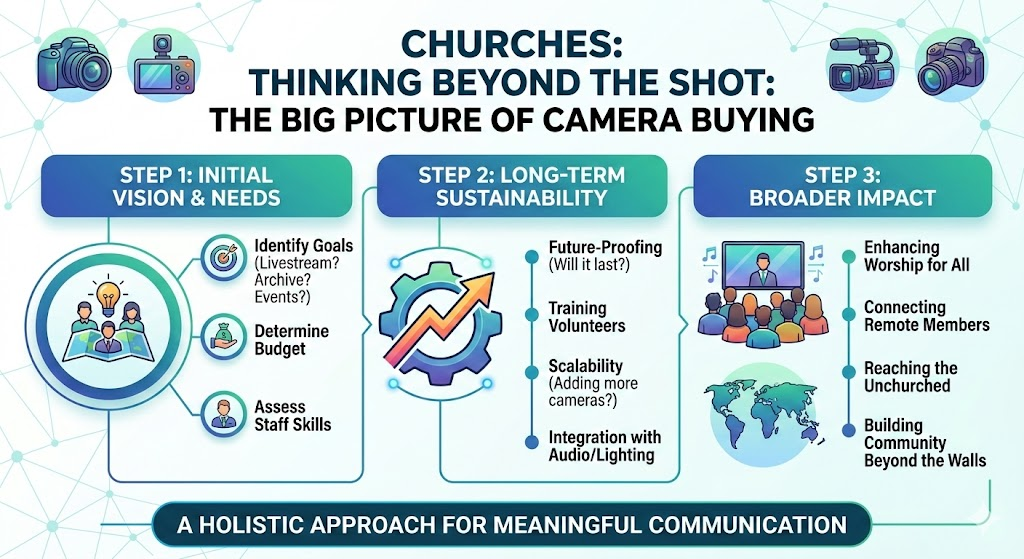
Before You Buy Anything: Answer These 3 Questions
Phil and Steve recommend starting with three simple decisions. If you nail these, your camera choice gets way easier.
1) Manned or Unmanned?
In plain terms:
Manned cameras = a volunteer physically operates the camera
Unmanned cameras = the camera stays mounted and you control it remotely
Examples:
- Manned: camcorders, mirrorless cameras on tripods, studio cameras with operators
- Unmanned: PTZ cameras (Pan-Tilt-Zoom), controlled from a joystick/controller
A lot of churches use a hybrid approach: one main manned camera and a few unmanned PTZ cameras for extra angles.
But here’s the real question:
Do you have dependable volunteers who can consistently run a camera every week?
Because “manned” sounds great until your camera operator is 12 years old and suddenly needs a bathroom break mid-service. (True story from the episode.)
2) Image Quality or Convenience?
If you want the simplest version of this tradeoff:
- Higher image quality usually means more setup, more settings, and more ways to accidentally mess things up.
- More convenience usually means easier operation, but sometimes smaller sensors and slightly less “cinematic” results.
The good news: the gap is closing.
Modern “convenience cameras” look dramatically better than they did years ago, so you can often get a strong result without buying something that requires a film degree to operate.
A key warning from Phil:
If your camera setup requires a “wizard” to run it… and the wizard leaves… you’re stuck with expensive equipment that nobody understands.
3) Live Production or Recorded Content?
This one matters more than people think.
Are you buying a camera primarily for:
- Live streaming / live switching
- or recording (and uploading later)
Live production often needs features like:
- reliable long-run connections (often SDI in pro setups)
- remote control options
- tally lights (so operators know when their camera is live)
Tally lights might sound like a small detail, until you watch your stream cut to a camera whipping wildly from the drummer to the worship leader because the operator didn’t know they were live.
A Quick Tour of Common Church Camera Types
Phil and Steve don’t go deep into specific brands in this episode, but they do outline the “classes” of cameras churches commonly use.
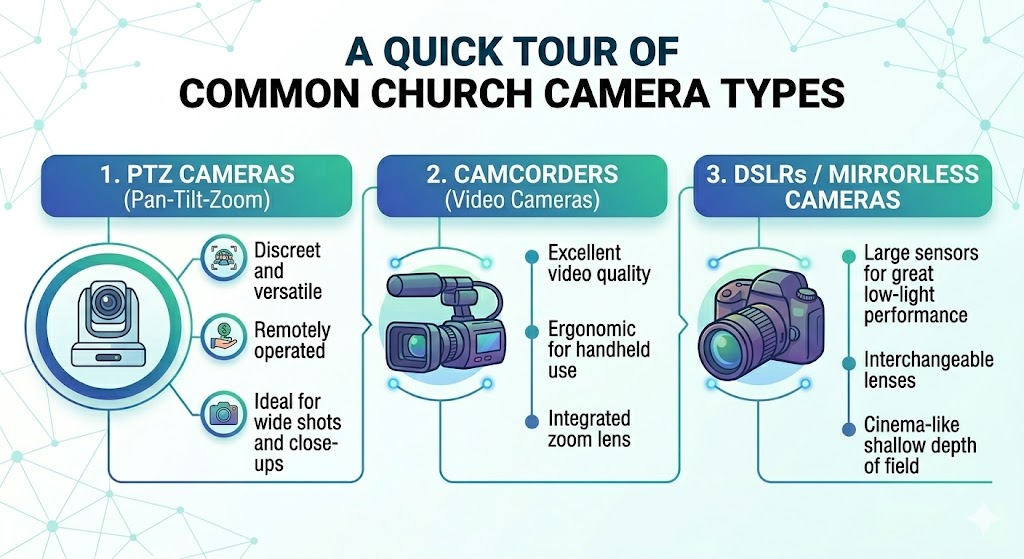
PTZ Cameras (Pan-Tilt-Zoom)
PTZ cameras have improved massively. Early PTZ models often felt like security cameras: jerky movement, soft focus, and “meh” results.
Today, PTZ cameras can deliver strong quality and are a lifesaver for churches with limited volunteers.
One important lesson from Steve’s experience:
A self-contained PTZ camera (designed as a single unit) is often more reliable than piecing together a hybrid PTZ system using mounts, adapters, and extra interface boxes.
Because every extra component is one more thing that can overheat, reboot, fail, or turn your video into a mystery black screen.
Camcorders
Camcorders are the reliable “workhorse” option. They range from budget-friendly to very expensive, and they often strike a practical balance between quality and ease of use.
Mirrorless / Cinema-Style Cameras
These are the cameras that can produce the “cinematic” look, often thanks to larger sensors and lens options.
They can also create the popular effect where the subject is sharp and the background is softly blurred, which helps the worship leader or preacher “pop.”
The tradeoff: more settings, more tuning, and more chances for volunteers to feel overwhelmed.
Studio / Live Production Cameras
These are often built specifically for multi-camera live environments. They can be excellent, but they also tend to fit best in churches with staffing and infrastructure to support them.
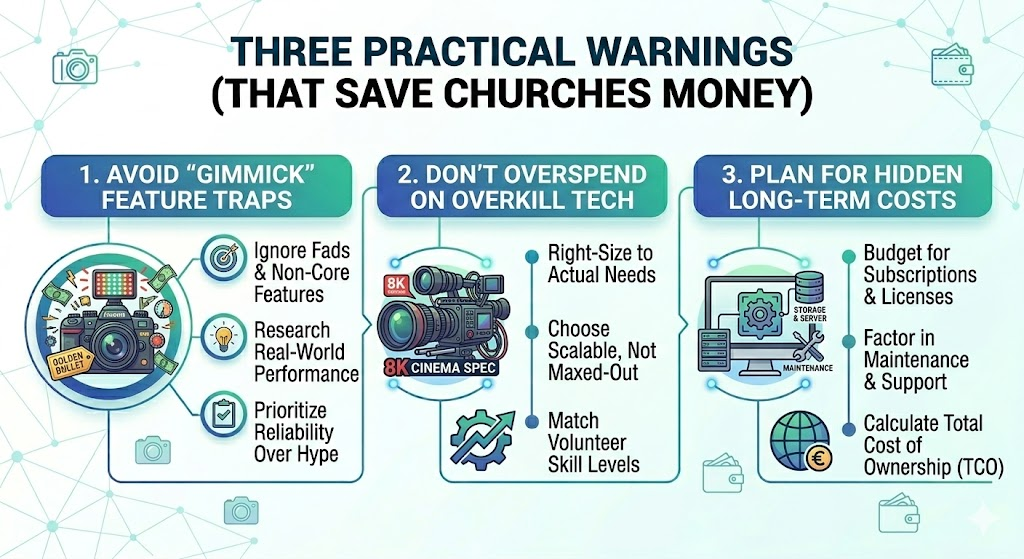
Three Practical Warnings (That Save Churches Money)
As the episode wraps, Phil and Steve land the plane with a few guardrails that are worth putting on a sticky note near your budget meeting.
1) Match Your Ecosystem (Don’t Mix and Match Random Cameras)
If you’re doing multiple cameras, try to keep them:
- same brand
- same model line (or at least same generation)
Why? Because matching color across different cameras can turn into a weekly headache. One camera is brighter, another is darker, one is too blue, and suddenly your stream looks like it was filmed in three different decades.
2) Don’t Overspend Because of Hype
There is always someone online telling you the latest 4K ultra-mega-super camera is “the only thing worth buying.”
Maybe. Or maybe that’s like buying a race car to drive to the grocery store.
Buy what fits your ministry, not what impresses camera nerds on YouTube.
3) Infrastructure Beats Gear
A “less expensive” camera that’s installed correctly and operated consistently can beat a high-end camera that no one knows how to use.
And Phil gives a real-world scenario churches live through all the time:
A skilled tech person comes in, buys top-tier equipment, gets everything running beautifully… and then leaves.
Now the church is left with a complicated system and volunteers staring at it like it’s the cockpit of a 747.
The Bottom Line: Buy for Who You Are
Your camera decision has to fit into a bigger system:
- your people
- your volunteer skill level
- your budget
- your streaming workflow
- and what you’re actually trying to accomplish
If you want a simple starting point, come back to the three decisions:
- Manned or unmanned
- Image quality or convenience
- Live production or recorded content
Answer those honestly, and you’ll avoid the most common regret purchase: gear that looked amazing on paper but doesn’t work in real church life.
Need Help Picking the Right Fit?
If you’d like guidance choosing cameras (or you want to talk through your setup with someone who does this every day), Phil and Steve mention that the team at StreamingChurch.tv can help connect you with experienced camera pros.
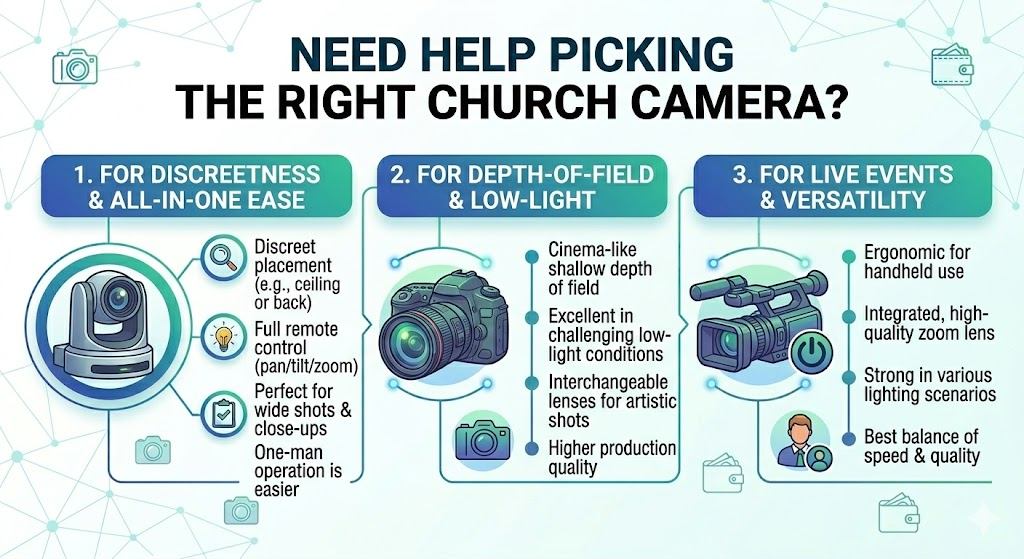
You can also check out the Good / Better / Best equipment recommendations mentioned in the episode and browse resources at StreamingChurch.tv Equipment List.
And if you haven’t subscribed to the Church Solutions Podcast, consider subscribing and leaving a rating. It helps more churches find practical, no-panic help.
Join Phil Thompson and Steve Lacy for future episodes of the Church Solutions Podcast.