“It Was Working Yesterday…” Reasons Your Stream Is Buffering

🎬 “It Was Working Yesterday… So It Must Be StreamingChurch’s fault.”
“We’ve been using the same settings for YEARS… why is it buffering today out of nowhere??”
We understand, things have been working well…until now. At StreamingChurch.tv we have been in your shoes. All of us have been involved in our local churches and come across streaming issues. Frustrations and anxieties fill the room! Below are some tips that come from real life experiences at our own churches we volunteer at or working with our customers.
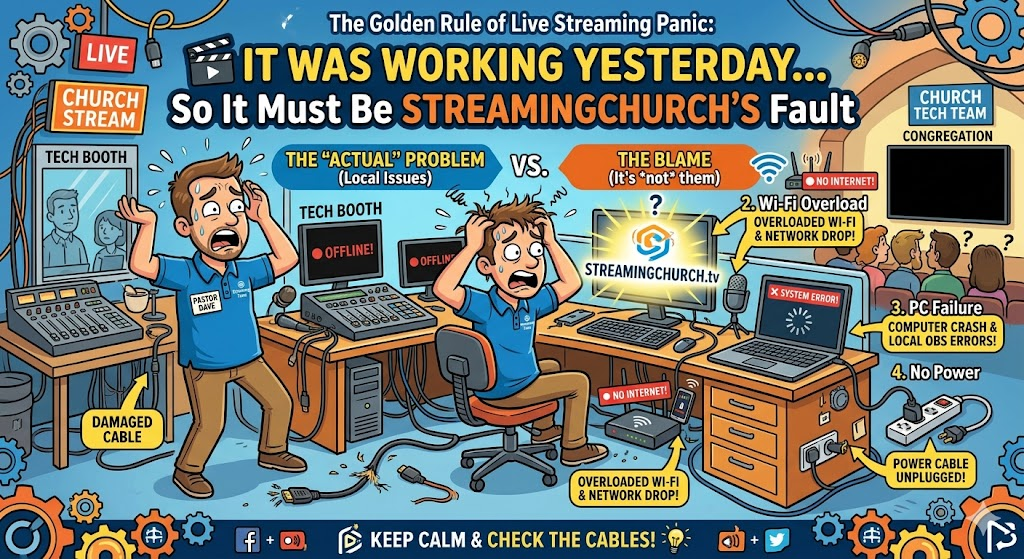
Why is my streaming not working???
1. Your Internet Got More Popular 🏘️
The “Popular Neighbor” Effect 🏘️
You’re sharing your ISP with everyone around you.
Over time:
- More users
- More devices
- More congestion
📉 Your upload gets squeezed without warning
When people are connected to your network it can have an effect on your bandwidth.
How to Fix it:
- Test during service time
- Check upload speed
- Upgrade if needed
- Get a 2nd nework to use exclusively for streaming video.
👉 Your internet didn’t break… it got crowded.
2. Someone Is Watching Videos Right Now 📺
Oh yes, I call these The Silent Spectators 📺
We’ve solved more issues with this than anything else. “Can someone stop streaming video during the service?” And suddenly… the buffering disappears.
Common culprits:
- YouTube
- Sports streams
- Social media video
How To Fix it:
- Lock down WiFi
- Prioritize your encoder
- Create a streaming-only network
👉 Your sermon shouldn’t compete with highlight reels.
3. Auto-Uploads: The Silent Bandwidth Assassin ☁️
Staff or a volunteer is up loading large files during the service.
Could also be Cloud Sync: ☁️
Dropbox. Google Drive. OneDrive.
Slides updated mid-service → cloud sync kicks in → stream collapses. Yikes!
Here is the Fix:
- Disable auto-sync
- Pause cloud services
- Talk with staff and volunteers about this
- No uploads during service
4. Your Poor Router Is Tired 🧓
It’s been faithful. It’s also exhausted. Like me, it’s old! hen you get older, things don’t always work as well. I move slower now and so does your old router.
Symptoms:
- Random buffering
- Inconsistent performance
- “It worked earlier.” But not now!
How to Fix it: (I’m glad I am not a router!)
- Reboot weekly (but if this is a having to be done more often you need to replace)
- Replace every few years
- Use business-grade gear
5. The $10 Cable Problem 🔌
Not everything is complicated. Sometimes it’s just… a bad cable. However sometimes it’s difficult to trace this. Make sure you have every cable labeled so you know what it is and where it’s going!
The Fix:
- Check connections
- Replace cables
- Inspect external lines
- Replace quality connectors and cables
6. Your ISP Needs to Step Up 📡
Sometimes it really is your upload speed. If it’s inconsistent you will have problems.
How to Fix it:
- Call your ISP
- Request testing
- Ask about better plans
7. Your Encoder Is Aging 💻
Even solid gear wears out. Just like me! Make sure your live encoder is up to date with firmware or sofrware. HOWEVER.. sometimes updates can also cause problems. If it won’t connect or stream try a different encoder and call StreamingChurch.tv for help, even on Sunday mornings. 866.852.6648
🛠️ Your “No More Buffering” Checklist
You’ve got enough on your plate! Want peaceful Sundays? Me too.
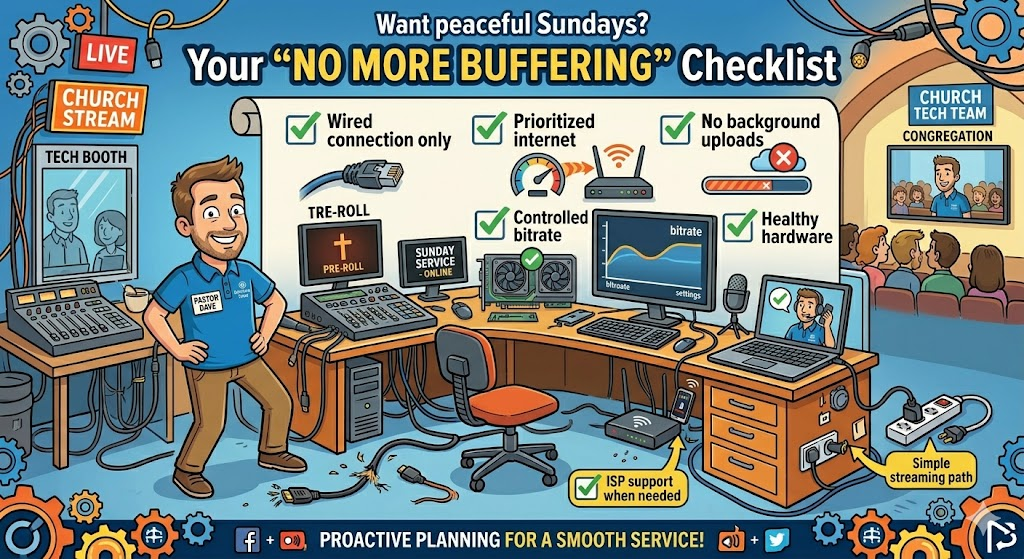
✅ Wired connection only
✅ Prioritized internet
✅ No background uploads
✅ Controlled bitrate
✅ Healthy hardware
✅ ISP support when needed
✅ Simple streaming path
🎬 We Are Here To Help You
We at StreamingChurch.tv acknowledge we are not perfect, things happen, even to billion dollar companies like Amazon, Meta and even Google. Our comitment to you is we will always do our very best to serve your ministry. If you need help please reach out to us anytime. Go to StreamingChurch.tv.